

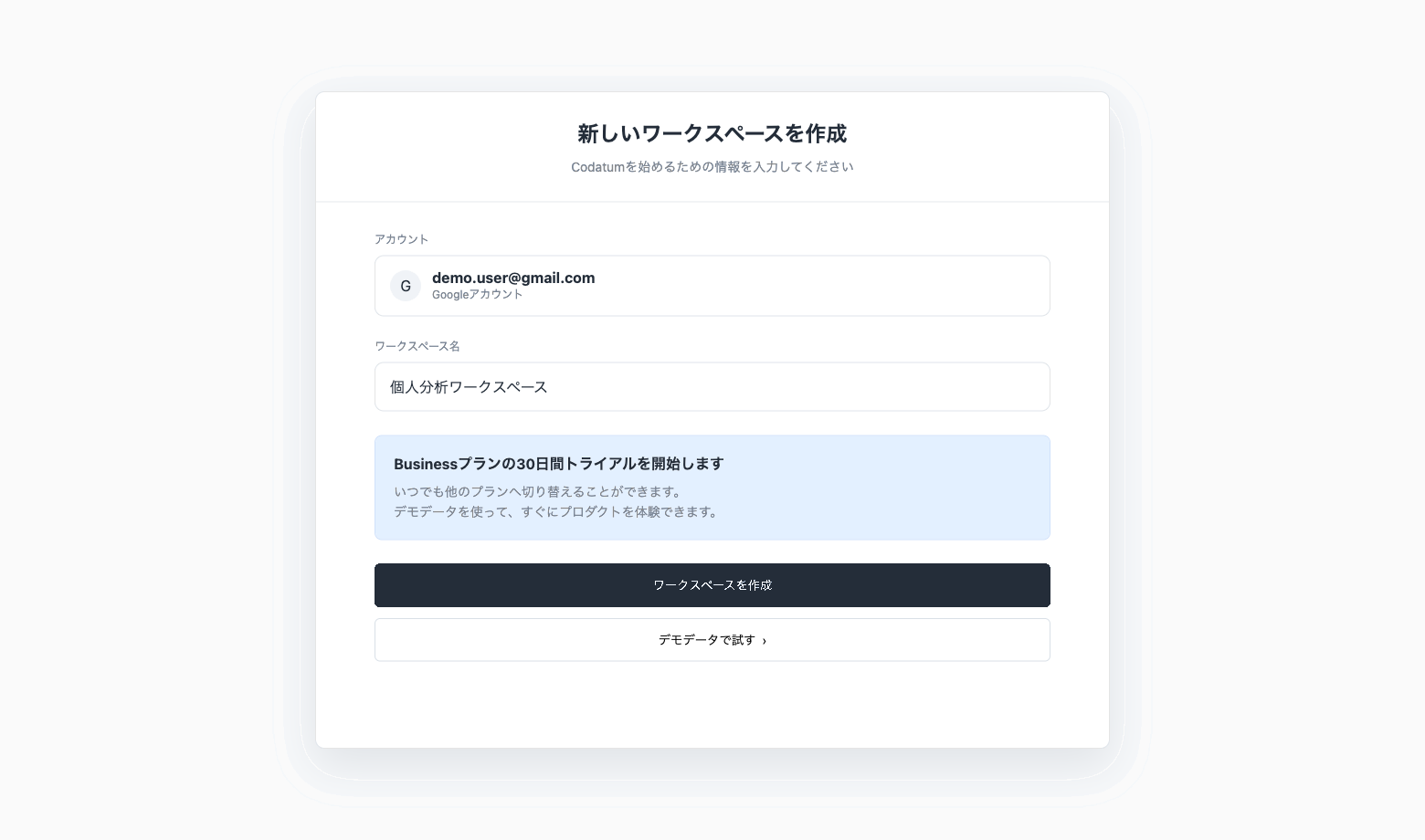
You Can Now Create a Workspace with Gmail and Other Free Email Addresses
You can now create a new workspace using an account registered with Gmail or another free email address.
You can now start using Codatum without a company or organization email address.
Key features
Create a workspace with a free email address: Accounts registered with Gmail, Yahoo Mail, or another free email address can create new workspaces.
Register with Google or email: Both Google registration and email-and-password registration are supported.
Available to existing accounts: You can create additional workspaces from the workspace selection page, not only immediately after signing up.
Get started with demo data: After creating a workspace, select Try demo connection during setup to explore Codatum’s analytics features with the provided demo notebook and data.
Use cases
Try Codatum with a personal Gmail account.
Evaluate Notebook management and analytics workflows with Codatum CLI.
Create a workspace for technical evaluation, study groups, or personal projects.
Explore Codatum before setting up a company or organization email address.
Related documentation
Availability
Creating a workspace with a free email address starts a 30-day Business plan trial. The workspace is not created on the Personal plan. To continue using Codatum after the trial ends, add payment details or switch to the Personal plan.
Free email domains such as Gmail cannot be added to a workspace’s Allowed Domains. Allowed Domains let users with a specified email domain join a workspace. Domains from free email services, which can be obtained by anyone, are not eligible.