

Workflows Can Now Deliver Reports as PDFs
The Screenshot step in workflows can now output report pages as PDFs, in addition to PNG images. Detailed tables and figures are easier to read, and the delivered PDF is ready to use as meeting material or to print.
Timestamps in captures are now also displayed in the Timezone set in the Run Report step. Previously they were displayed in UTC, so you had to convert them yourself to read them in your local time.
Key features
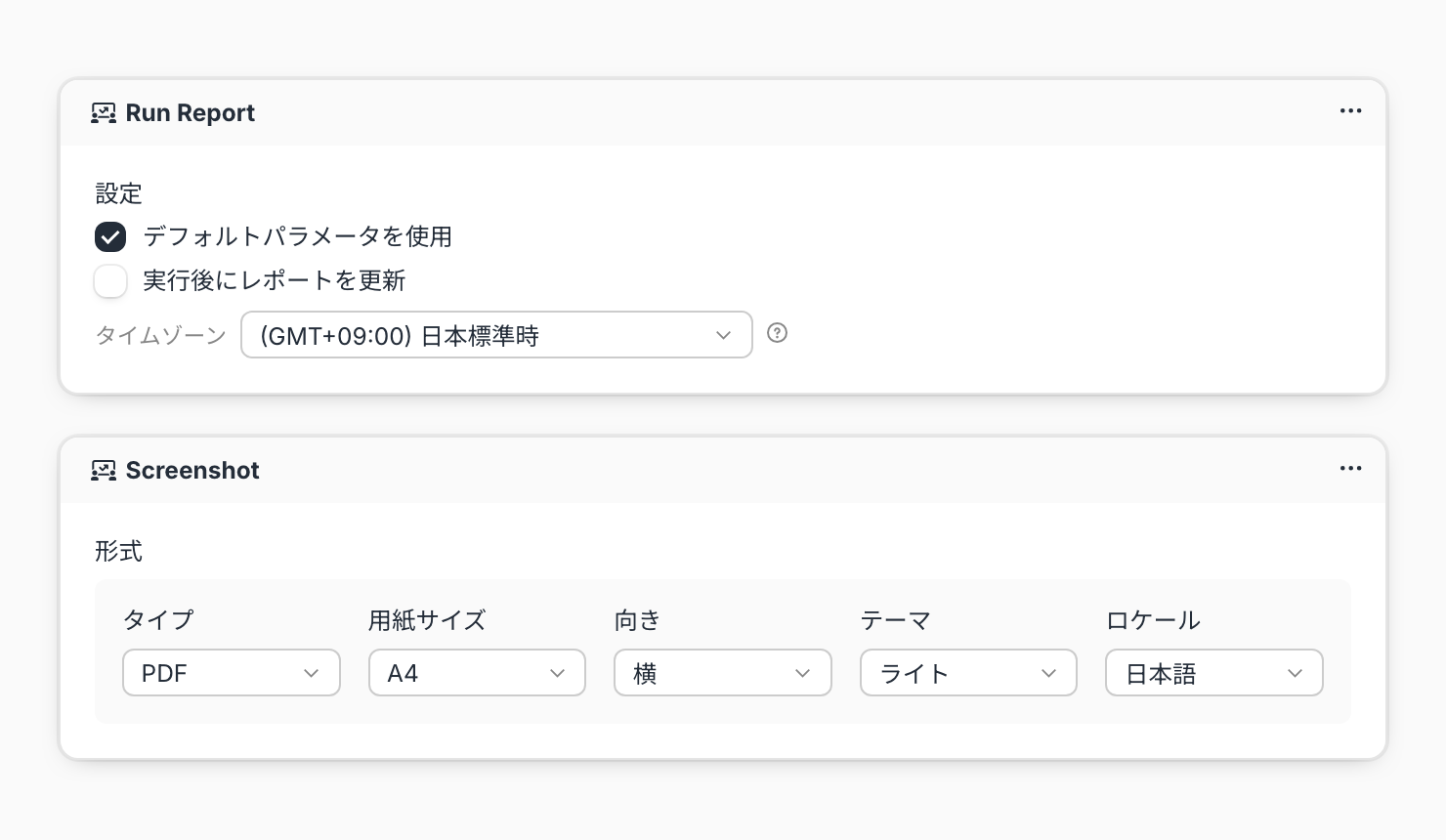
PDF in addition to PNG: Choose PNG or PDF under Type in the Screenshot step's Format
Paper size and orientation: For PDFs, choose a Paper size (A4 or A3) and an Orientation (Landscape or Portrait). The default is A4 landscape
Deliver PDFs by email or Slack: Specify the Screenshot output in an Email step's Attachment or a Slack step's File to deliver the PDF the same way you deliver images today
Timestamps in your timezone: Timestamps in captures are displayed in the Run Report step's Timezone, which defaults to your browser's timezone
Example use cases
Deliver the weekly sales report as an A4 landscape PDF and hand it out as-is for the management meeting
Receive reports with detailed tables as PDFs and zoom in to check every figure
Post last month's performance report as a PDF to Slack, ready to print or to use in documents for external partners
If your report shows when the data was last updated, make sure that time appears in your local timezone in the delivered PDF
Related documentation
Availability
Workflows are an optional feature and might not be available depending on your contract. Workflows and the Run Report and Screenshot steps are in beta.
The timezone change affects only timestamps in captures. Values such as dates (DATE) are displayed as before. Existing workflows will also display timestamps in the timezone saved in their Run Report step.