

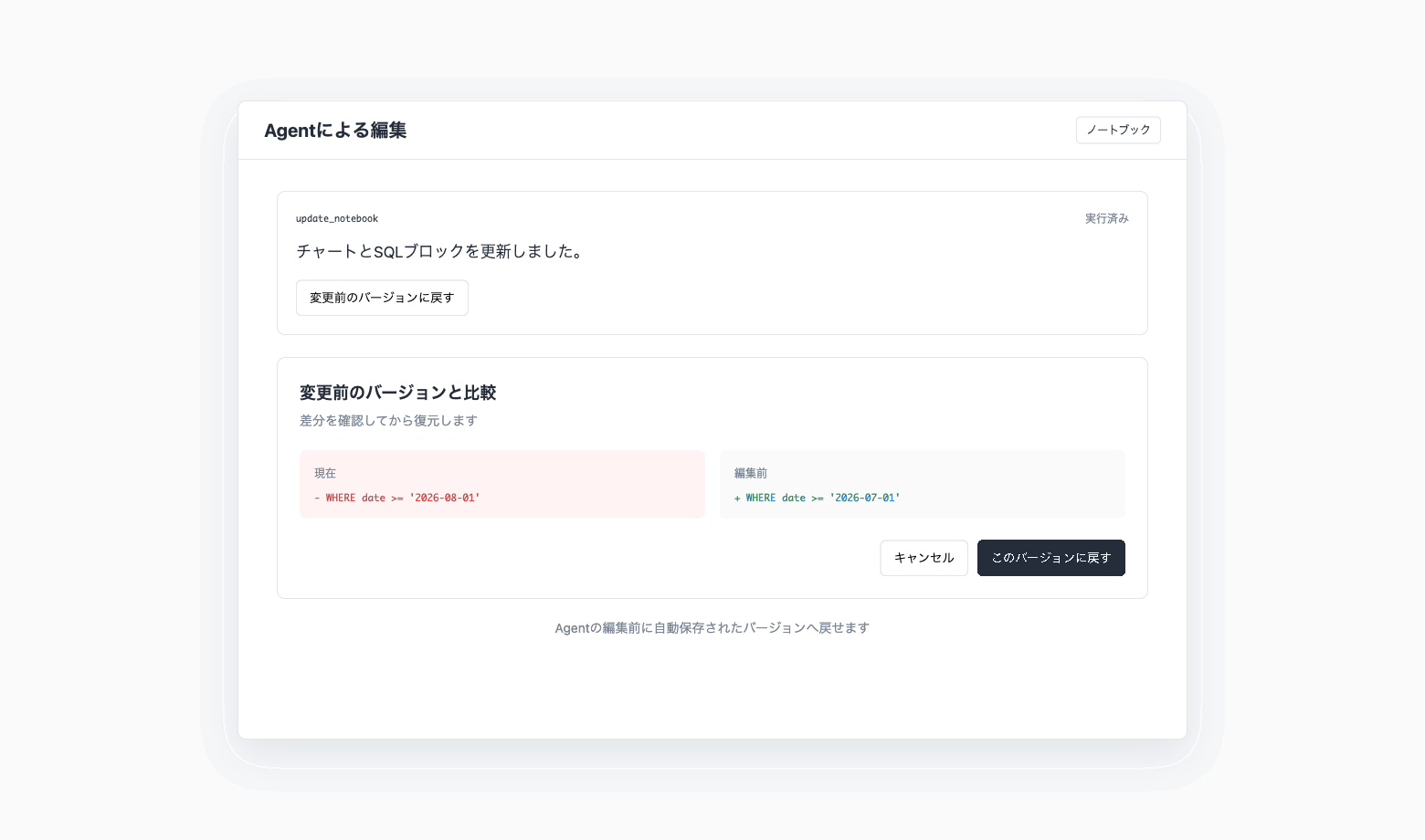
Revert Notebook Changes Made by Codatum Agent
You can now revert notebook changes made by Codatum Agent.
Codatum automatically saves a version before Codatum Agent edits a notebook. After the edit, review the diff and restore the previous state only when needed.
Key features
Automatic pre-edit version: Codatum creates an AI edit version before Codatum Agent changes the notebook
Review before restoring: Select Restore to previous version from the tool execution card to compare the current notebook with its pre-edit state
User-confirmed restoration: The notebook is restored only after the user reviews the diff and confirms the action
Example use cases
Revert an SQL change when Codatum Agent's edit does not match your intent
Restore the previous layout after a chart edit
Review Codatum Agent changes in a notebook edited by multiple people
Related documentation
Availability
The user needs edit permission for the target notebook.
Restoring overwrites the current notebook, and the state immediately before restoration is not saved as a new version. Other users with the notebook open are reloaded, so review the diff before confirming.