

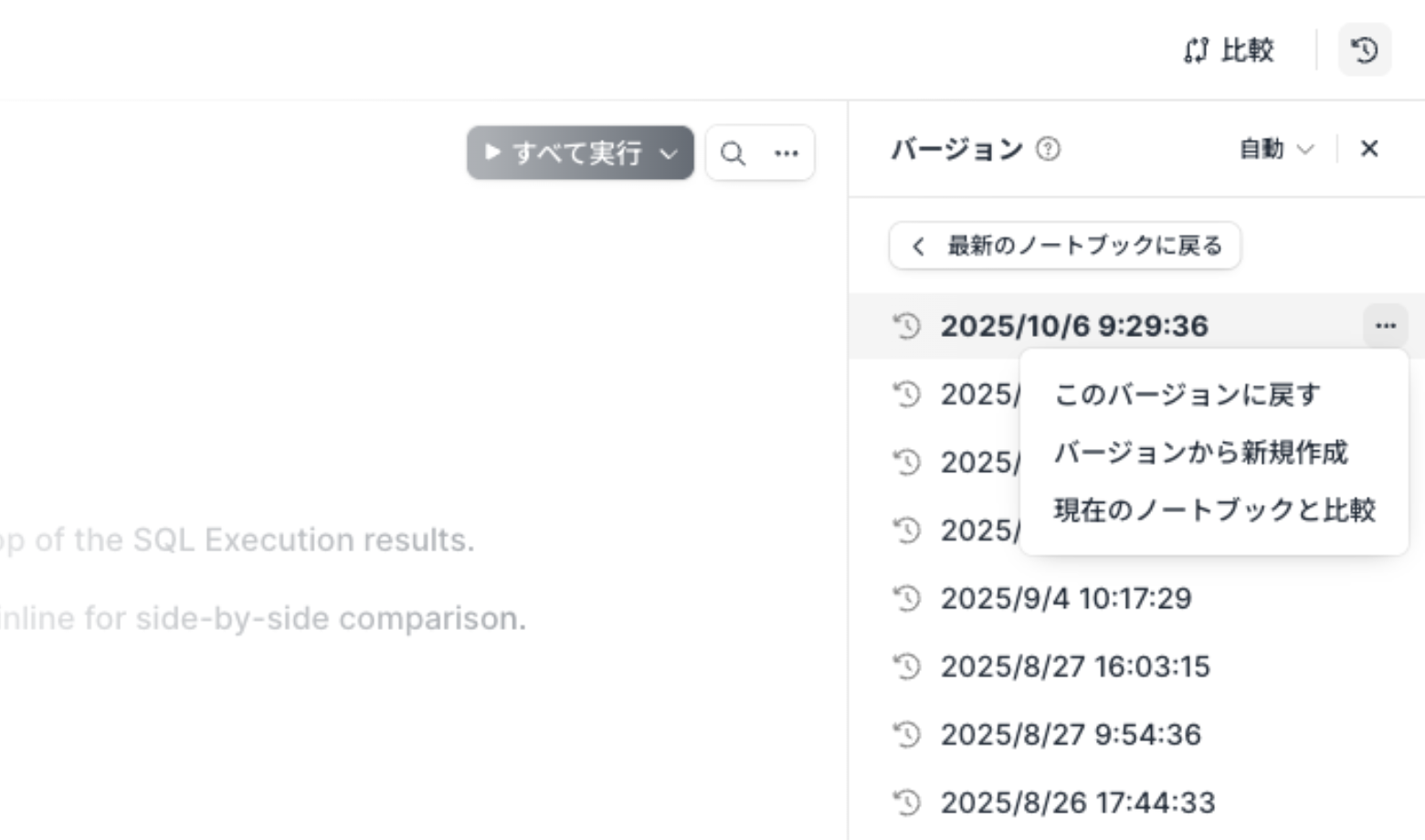
Overwrite the current notebook with a previous version
You can now overwrite the current notebook with the contents of a previous version.
The existing “Create new from version” option remains available. The new “Restore to this version” option applies an automatic, manual, published, or AI edit version directly to the current notebook.
Key features
Restore from automatic, manual, published, or AI edit versions.
Use “Restore to this version” to overwrite the current notebook. The state immediately before restoration isn't saved as a new version, and other users with the notebook open are reloaded.
Use “Create new from version” to select a folder and name for a separate notebook. Both operations require edit permission on the source notebook. Creation is unavailable when the notebook limit has been reached.
Compare the selected version with the current notebook before restoring it.
Example use cases
Return a notebook to a known-good state after an accidental edit.
Reuse an older state as a separate notebook while preserving the current notebook.
Create a new notebook from the version that was previously published.