

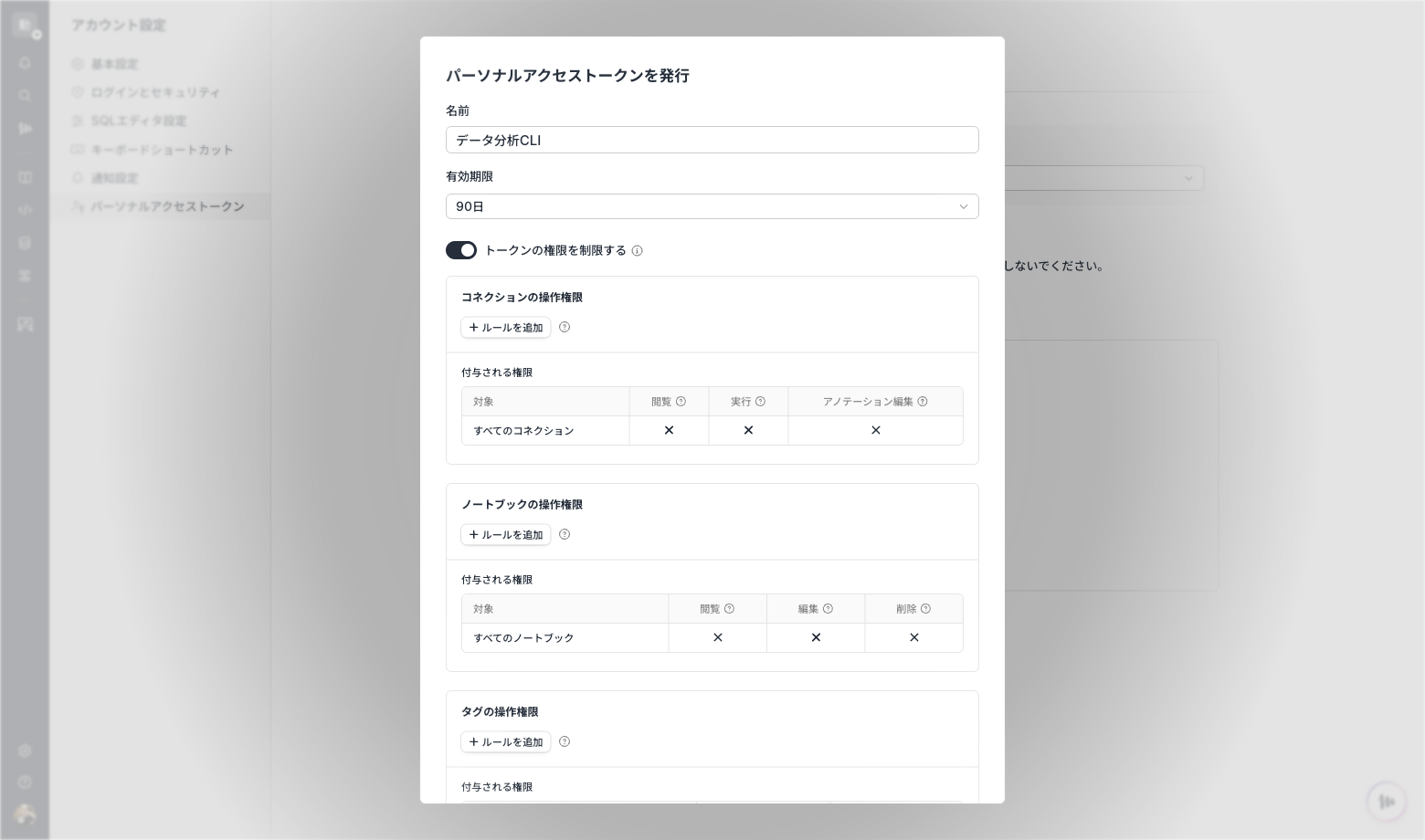
Manage Personal Access Tokens with permission boundaries
Personal Access Tokens (PATs) can now be issued and managed as credentials for operating Codatum from Codatum CLI.
Workspace Owners can view PATs and their permission restrictions within the workspace, and can suspend, resume, or revoke them. Only the issuer can edit a token’s name or permission boundary.
By default, a PAT inherits the issuer’s permissions. A permission boundary can further restrict the resources the PAT can access within those existing permissions.
Key features
Issue a PAT with a name and an expiration of up to 365 days. The plaintext token is shown only once.
Review the token name, expiration, last-used time, permission restrictions, and status.
Suspend, resume, or revoke a PAT. A revoked PAT cannot be reactivated.
Workspace owners can manage PATs issued within their workspace.
For connections, individual notebooks, notebooks directly under a folder, and tag types, allow or deny specific operations without granting permissions beyond the issuer’s existing access.
Review audit logs for token creation, updates, suspends, resumptions, and revocations.
Example use cases
Limit a development token to only the connections and notebooks required for the task.
Suspend a token while it is not in use and resume it when needed.
Revoke a token immediately when credential exposure is suspected.
PAT management is available in beta. PATs can't be issued or used when Codatum CLI is disabled by workspace policy. Workspace guests can't use PATs.