

Custom Roles Are Now Available in Beta
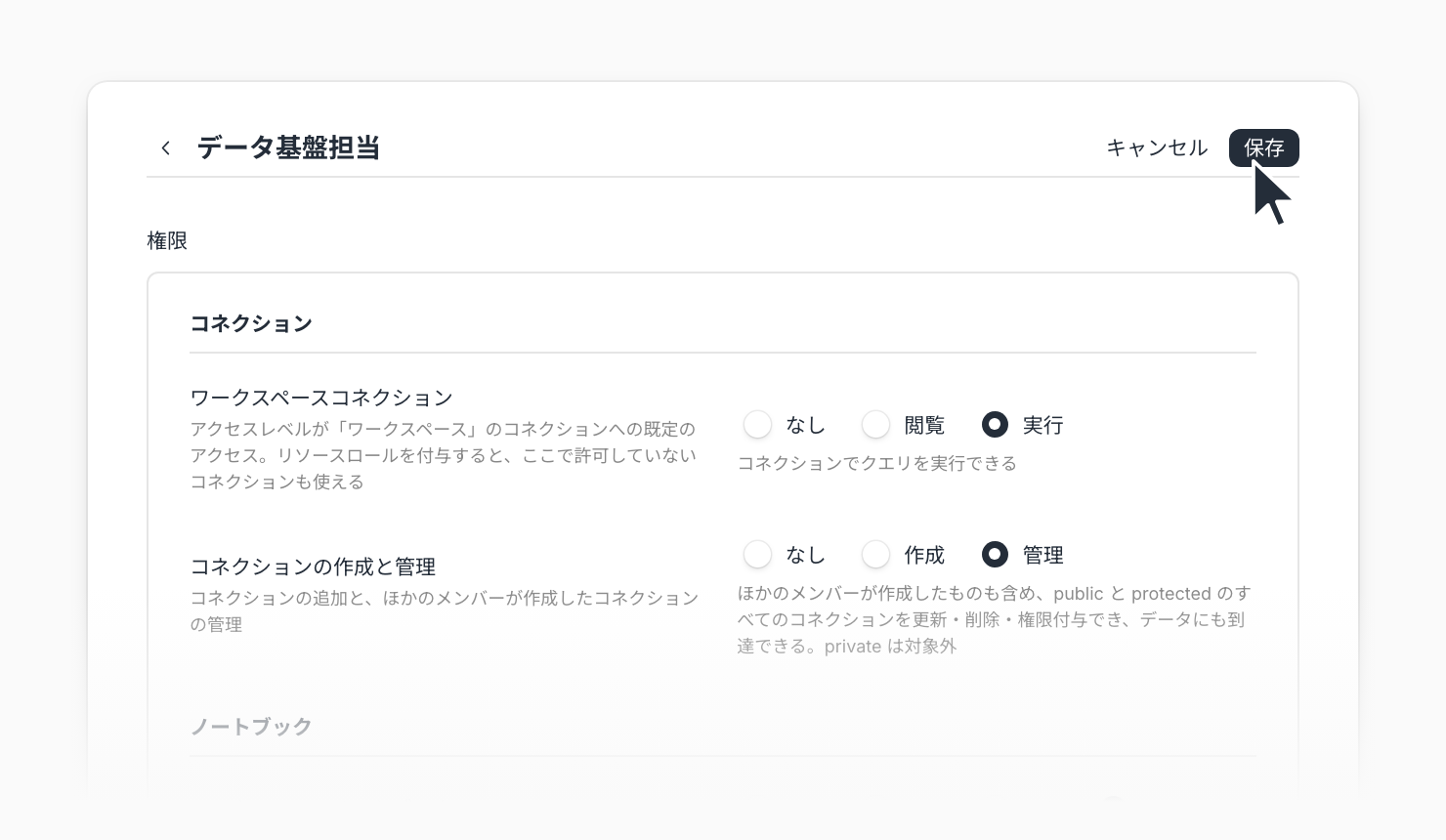
Custom roles are now available in beta, so you can build your own workspace roles. Choose a permission level for each area, such as workspace, connections, and notebooks, and assign roles that match how your team divides responsibilities to users and service accounts.
Until now, workspace roles were limited to the built-in roles. With custom roles, you can create roles such as Editor permissions plus some management permissions, or view-only access to just the areas a person needs.
Key features
Choose a level for each area: For each item, such as Workspace settings, Members, Workspace connections, Workspace notebooks, and Workflows, select None or one of its levels (such as View, Run, Edit, or Publish). A higher level includes the lower levels
Start from a template: In Workspace settings > Roles, click New role and choose Blank role or Start from Editor. You can also Duplicate an existing custom role as the basis for a new one
Grant connections one by one: You can now grant resource roles on individual connections whose access level is Workspace. Even with Workspace connections set to None, you can let a role use only the connections it needs
Manage guest invitations with roles: Whether someone can invite guests from a report is now decided by the Guest invitations permission of their role. The setting that removes guest invitations from the built-in Editor role has moved to the Editor's Permissions on the Roles page
Example use cases
Let your data platform team keep Editor permissions and also create and manage connections
Give executives or members of other departments a role that can only view the notebooks they need
When departments use different data warehouses, give each department access only to its own workspace connections
Related documentation
Availability
Custom roles are an optional feature in beta and may not be available depending on your contract. The specification might change without notice.
Only workspace owners can create, edit, and delete roles. Permissions reserved for workspace owners, such as deleting the workspace, granting the owner role, and API keys, cannot be included in a custom role. Custom roles cannot be assigned to guests or to users who join through allowed domains or invite links. Users with a custom role count toward the number of editors, regardless of their permissions.