

Amazon Bedrock, OpenRouter, and Fireworks AI Now Available for Custom AI Profiles
Custom AI Profiles now support Amazon Bedrock, OpenRouter, and Fireworks AI.
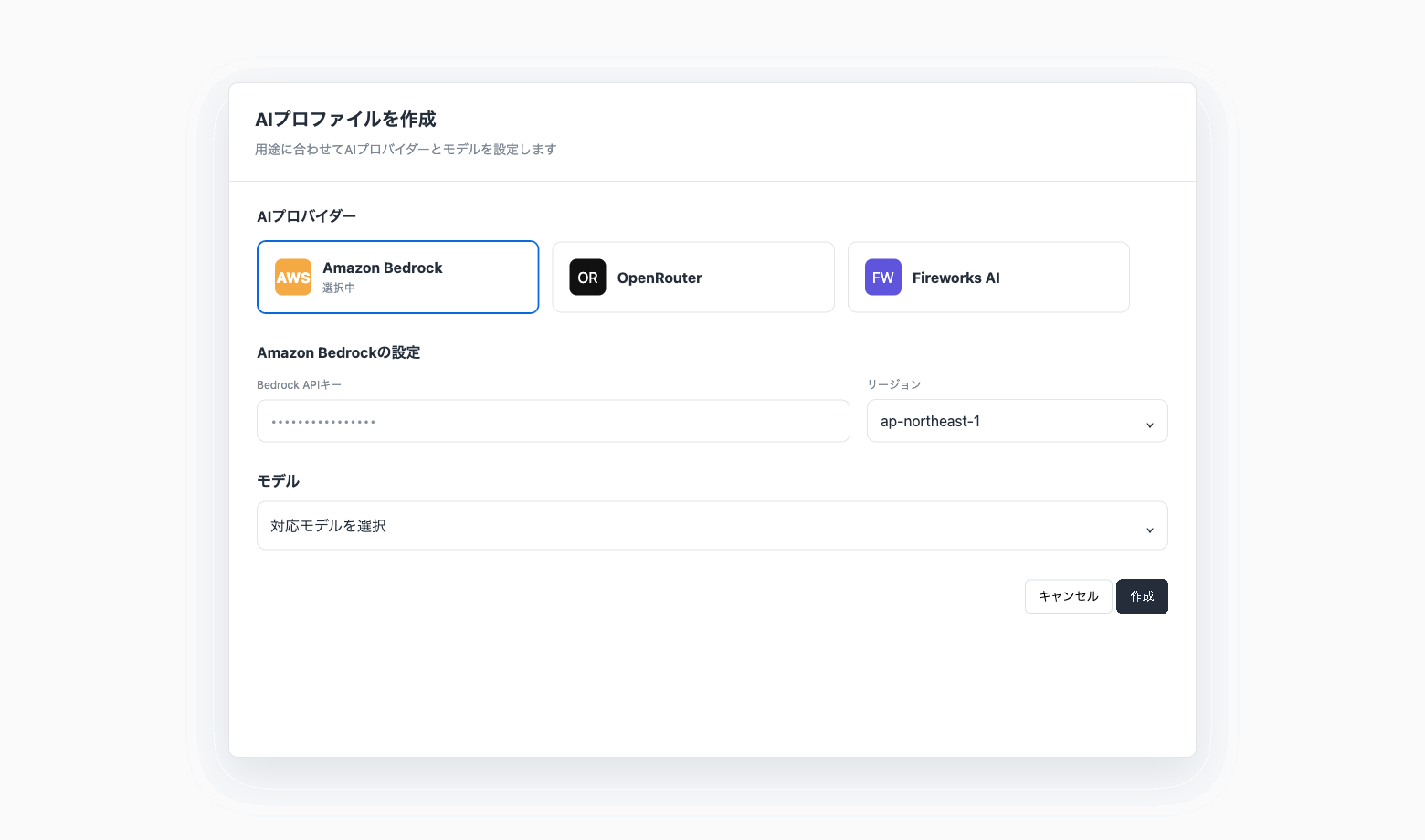
Select an AI provider that fits your use case and operating environment. OpenRouter and Fireworks AI use an API key. Amazon Bedrock requires a Bedrock API key and region. The resulting AI Profile can provide the model connection for Codatum Agent chats and LLM actions in Workflows.
Key features
More AI provider options: Select Amazon Bedrock, OpenRouter, or Fireworks AI when configuring a Custom AI Profile.
Use your own credentials: OpenRouter and Fireworks AI use an API key. Amazon Bedrock requires a Bedrock API key and region.
Integrated AI Profile settings: Manage the model, fixed context, tool permissions, and sharing scope within each profile.
Profiles for different use cases: Create multiple AI Profiles and switch between them based on the task or your organization’s operating policies.
Supported model selection: Choose from the models supported by Codatum for each provider.
Use cases
Use Codatum Agent through Amazon Bedrock in an AWS-centered environment.
Configure profiles with OpenRouter based on the purpose of each analysis.
Configure a supported Fireworks AI model in a profile based on your use case.
Separate AI Profiles by department or business function, manage who can use each profile through sharing settings, and use tool permissions to further restrict each user’s existing access.
Related documentation
For setup instructions, permissions, and sharing settings, see the AI Profiles documentation.
For more information about Codatum Agent and Workflows, see:
Availability
AI Profiles are generally available.
Custom AI Profiles might also be unavailable depending on your contract. To request access, contact Codatum support.
Fixed context and tool permissions apply to Codatum Agent. Workflow runs do not load fixed context or apply tool permissions.