

Analyze Codatum Agent Usage with SQL in Codatum Data Connection (Beta)
You can now analyze Codatum Agent conversations, tool executions, and token usage with SQL. Codatum Data Connection, a connection managed by Codatum, is now available in beta.
See how much and in what ways Codatum Agent is used in your workspace, and aggregate it with the SQL blocks and charts you already use. Check the views and columns in the catalog, then select this connection in a SQL block or another SQL editor.
Key features
Six views of agent activity: Query sessions (
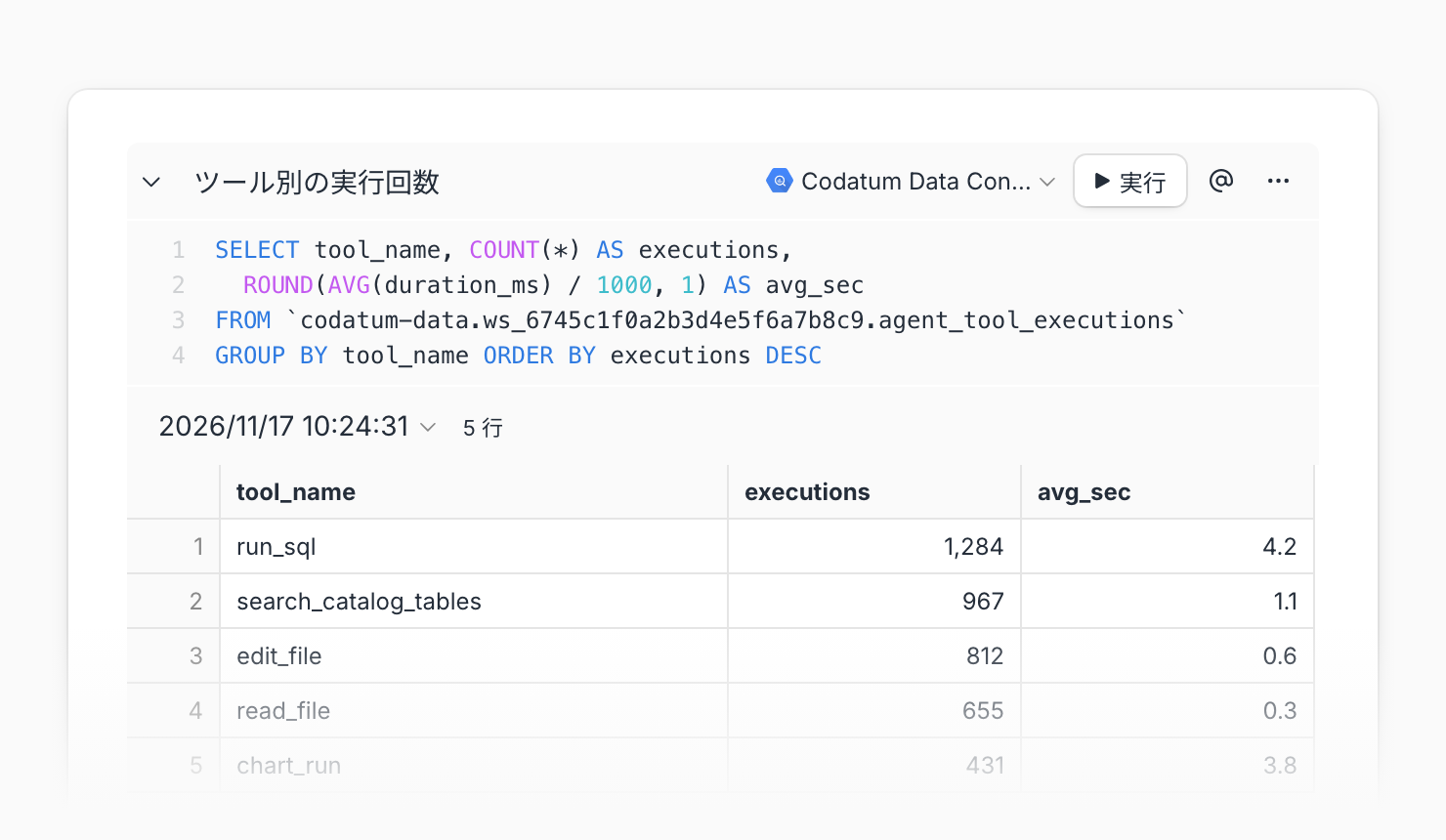
agent_sessions), turns (agent_turns), messages (agent_messages), tool executions (agent_tool_executions), token usage (agent_usage), and turn evaluation scores (agent_turn_scores)Tool approvals and run times: Tool executions record approval and execution status, start and end times, and duration, so you can see which tools are used most and which take the longest
Set up automatically in new workspaces: In newly created workspaces, Codatum creates this connection for you, and it becomes available once setup is complete
No connection setup: Because Codatum manages the connection, there are no credentials or sync targets to configure, and it does not count toward your connection limit
Example use cases
Track agent usage and token consumption by member and over time on a dashboard
Find tools that often wait for approval or take a long time to run, and revisit your AI profile and approval mode settings
Follow trends in turn evaluation scores to see how agent usage and response quality change over time
Related documentation
Availability
Codatum Data Connection is in beta, and the specification might change without notice. It is available on plans that include the AI agent. If it is not available in your existing workspace, contact Codatum support.
The access level is fixed to Protected, and workspace owners can run SQL and view the results. You cannot edit or delete the connection's basic settings, access level, or sync targets.
Message content is stored only when Save conversations to logs is turned on in the AI profile. History from before data collection started is not added retroactively.