

Create and Run Workflows from Codatum Agent
You can now review, create, update, and run workflows from a conversation with Codatum Agent. We have also released the HTTP Request step (beta), which sends HTTP requests from a workflow to external services.
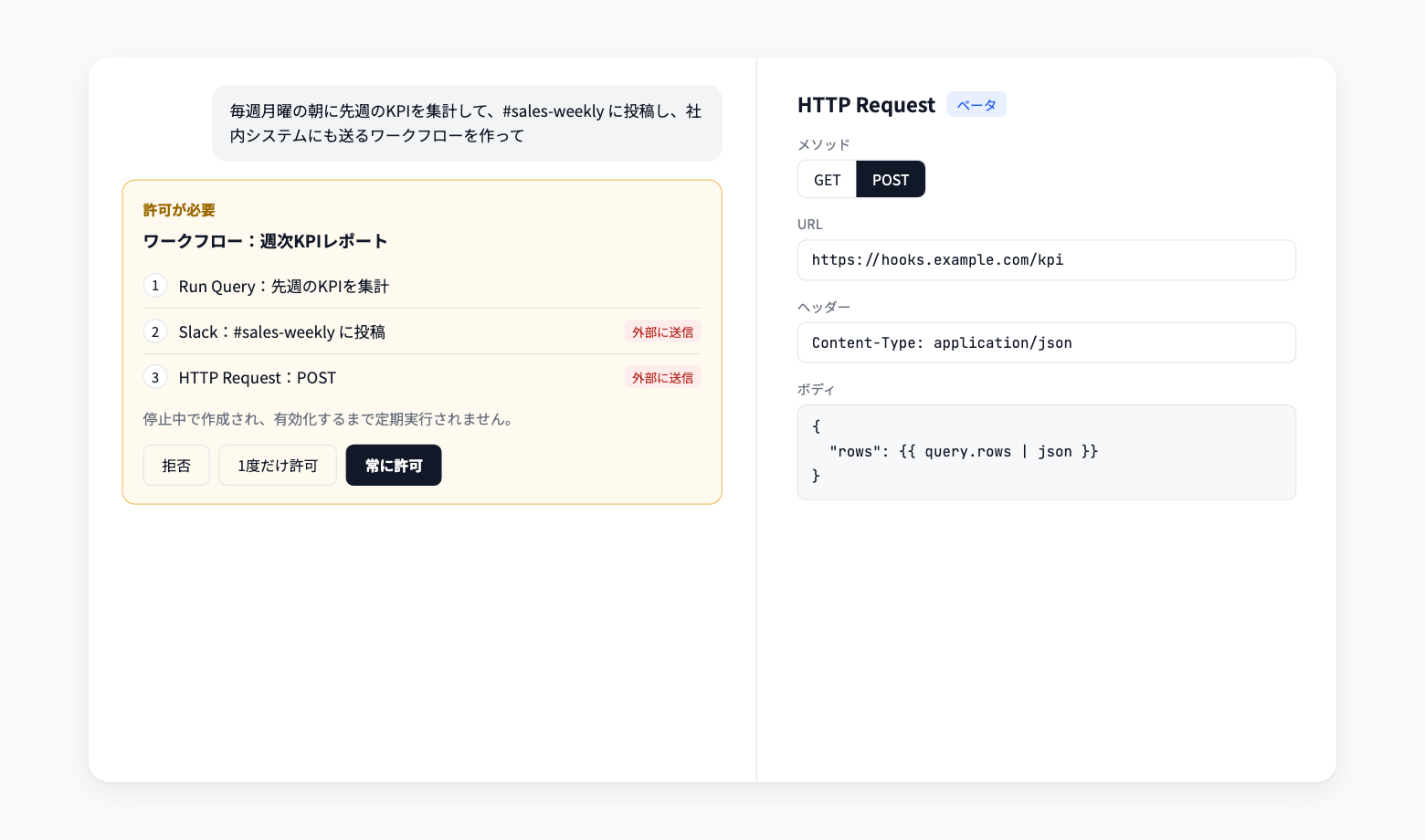
Ask Codatum Agent to build scheduled tasks such as "aggregate KPIs every Monday and send them to Slack."
Key features
Manage workflows from a conversation: Review the workflow list, definitions, and recent run results. Ask Codatum Agent to create, update (including activating or deactivating), or run workflows
Review changes on the approval card: Before a create, update, or run, the approval card shows a step summary and before-and-after values. Steps that send data outside Codatum are labeled Sends externally
Created as inactive: Workflows created by Codatum Agent start as Inactive and do not run on schedule until activated
HTTP Request step (beta): Send requests from a workflow to external webhooks and APIs. Configure the method (GET / POST), URL, headers, and a JSON body, and embed query results with template variables
Example use cases
Ask Codatum Agent to "create a workflow that posts yesterday's sales to Slack every morning"
Have Codatum Agent review an existing workflow's run history and investigate why a step failed
Send aggregated results to an internal system's webhook with the HTTP Request step to connect other tools
Related documentation
Availability
Creates, updates, and runs requested from Codatum Agent are confirmed on an approval card in Manual and Auto approval modes. Runs from Codatum Agent are real runs: Slack, email, and HTTP Request steps actually send.
Header values in an HTTP Request step are saved with the workflow and are visible to anyone who can view it. Later steps can use only the response status code.