

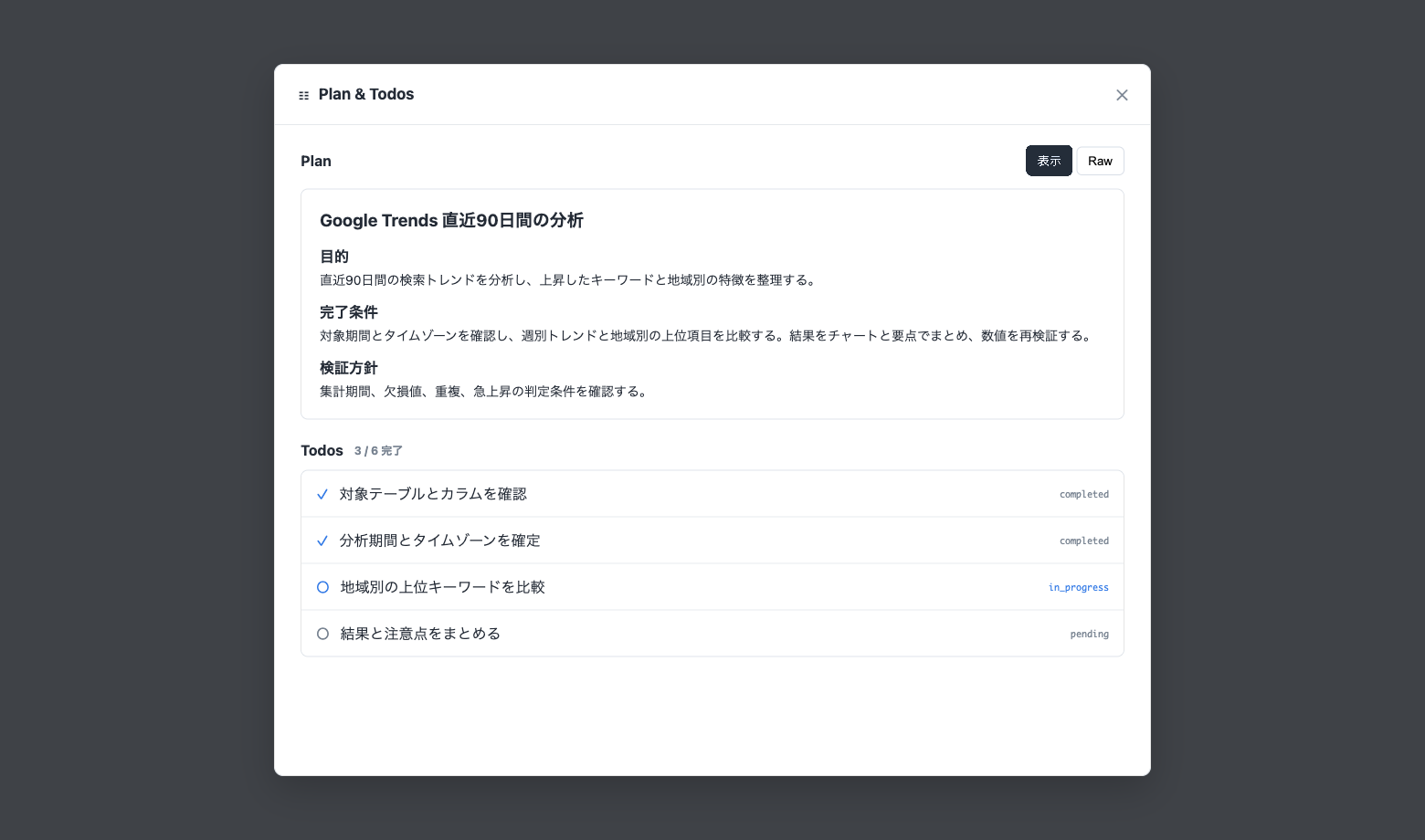
Codatum Agent Now Visualizes Its Plan and Progress with Plan and Todos
Codatum Agent creates a Plan and Todos for multi-step work, making its direction and progress visible as it works.
When you ask Codatum Agent to perform a longer analysis or edit a Notebook, you can review what it is trying to achieve and how it plans to verify the result without leaving the session.
How Plan and Todos work
The Plan summarizes the objective, completion criteria, relevant context, potential concerns, and how the result will be validated.
Todos show the concrete tasks needed to complete the Plan. Their status and completion count are updated as work progresses, making it easier to see what Codatum Agent is currently working on and what remains.
Key features
Organize the approach: Codatum Agent summarizes the objective, completion criteria, assumptions, and validation approach in a Plan.
Track progress: Todo status and completion counts show the current task and remaining work.
Review within the session: Open Plan & Todos near the message input to review the current Plan and Todo list.
Created when useful: Codatum Agent decides when a request involves enough steps or validation to benefit from a Plan.
Keep simple tasks simple: For short questions and straightforward operations, Codatum Agent may respond or act without creating a Plan or Todos.
Example use cases
Multi-source analysis: Review the research steps and validation points before Codatum Agent completes the analysis.
Notebook restructuring: Confirm the target changes and completion criteria.
Deliverables with charts: Track completed work and the items that remain.
Availability
Plan and Todos are created and updated by Codatum Agent as part of its work and cannot be edited directly by users. Their current state is managed separately for each session.
They are available in both Ask and Agent modes, although available operations still depend on the selected mode, user permissions, and AI Profile settings.