

Use Codatum Agent from Slack
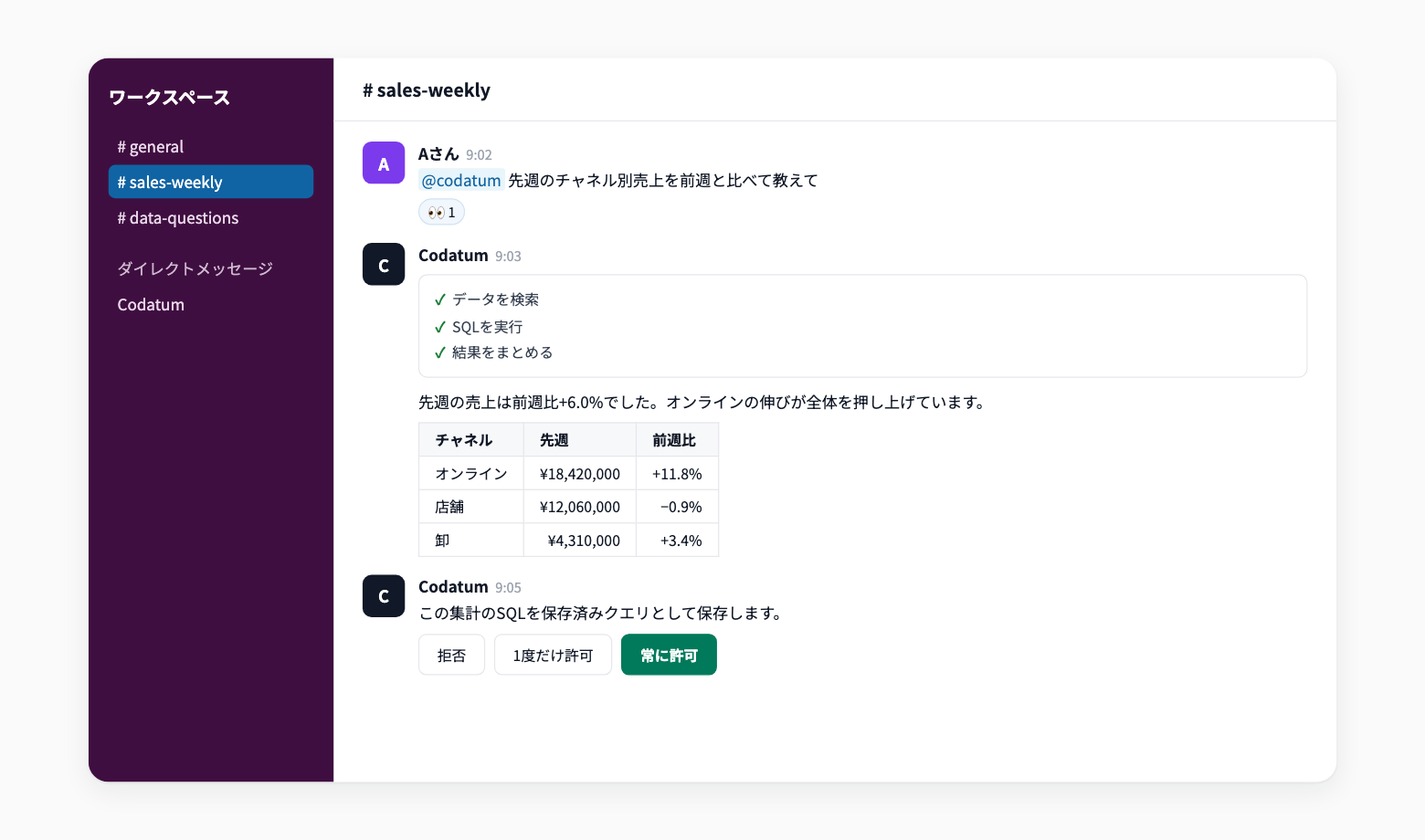
You can now use Codatum Agent from Slack. Mention it in a channel or send it a direct message to ask for aggregations and data investigations.
Get data-backed answers in the flow of your conversations without opening Codatum. Turn it on in your workspace's Slack integration settings.
Key features
Ask by mention or DM: In a channel, mention Codatum Agent with your request. In a direct message, just write your request
Understands thread context: When mentioned in a channel thread, Codatum Agent takes the earlier messages in that thread into account
Track progress in Slack: Your request gets a reaction when received, and progress such as data searches and SQL runs appears in the thread
Approve in Slack: When an operation needs confirmation, choose Deny, Allow once, or Always allow from buttons in the thread
Readable results: Aggregated results are returned as tables. When a visualization is needed, Codatum Agent creates a Canvas and attaches it to the thread
Example use cases
Ask Codatum Agent in a channel about a number that came up in a meeting and check it on the spot
Ask Codatum Agent to investigate related data in a support or incident thread
Check yesterday's sales or key KPIs by direct message while away from your desk
Related documentation
Availability
In workspace settings, open Slack integration, select Connect Slack, and turn on Allow Codatum Agent to start from Slack. This requires permission to change workspace integrations. If Slack is already connected for notifications, select Update permissions first.
Each user then connects their Codatum account from the Codatum app's home in Slack and selects the AI profile and approval mode to use. Codatum Agent runs with the permissions of the connected account. Available in workspaces where Codatum Agent is enabled. Availability may depend on your contract.