

Attach Files and Images to Codatum Agent Chats
You can now attach files, such as CSVs, and images to your chats with Codatum Agent. Share data or screenshots you have on hand and ask Codatum Agent to analyze or review them right away.
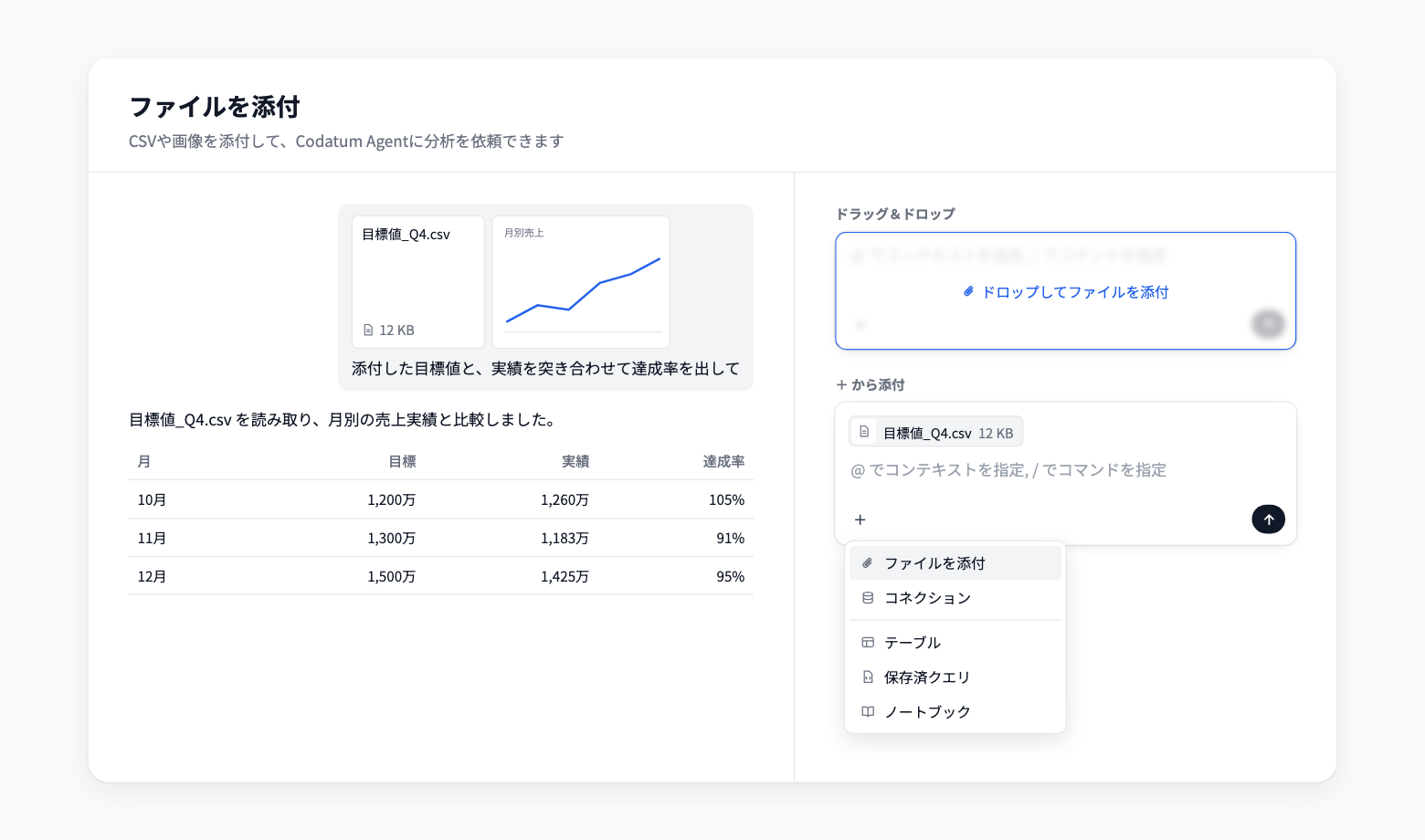
To attach, choose Attach files under Add (+) in the chat input. You can also drag and drop files onto the input.
Key features
Analyze data files: Attach CSV, TSV, TXT, Markdown, or JSON files, and Codatum Agent reads their contents to aggregate and compare data. UTF-8, Shift_JIS, and UTF-16 with BOM are supported
Attach images: Attach JPEG, PNG, WebP, GIF, SVG, or BMP images. HEIC and HEIF can be attached in browsers that support them, such as Safari. Large images are resized automatically before sending
Drag and drop: Drop files onto the input, where Drop files to attach appears, to attach them
Send several files at once: Attach up to 10 files to a single message
Example use cases
Attach a CSV of targets you keep locally and have Codatum Agent compare it with actuals in your data warehouse to calculate attainment
Attach a screenshot of a chart or screen from another tool and ask Codatum Agent for SQL that reproduces the same analysis in Codatum
Attach a Markdown or text file describing your metric definitions and have Codatum Agent follow those rules in its analysis
Related documentation
Availability
Each file can be up to 10 MB, and each image up to 2 MB after resizing. If the model in your AI profile does not accept image input, Codatum Agent cannot read the contents of images.
Attachments appear in sent messages and are stored in Codatum for as long as the session is retained. Attached content may be sent to the LLM service configured in your AI profile.