

Set an Execution Budget for Codatum Agent's BigQuery Queries
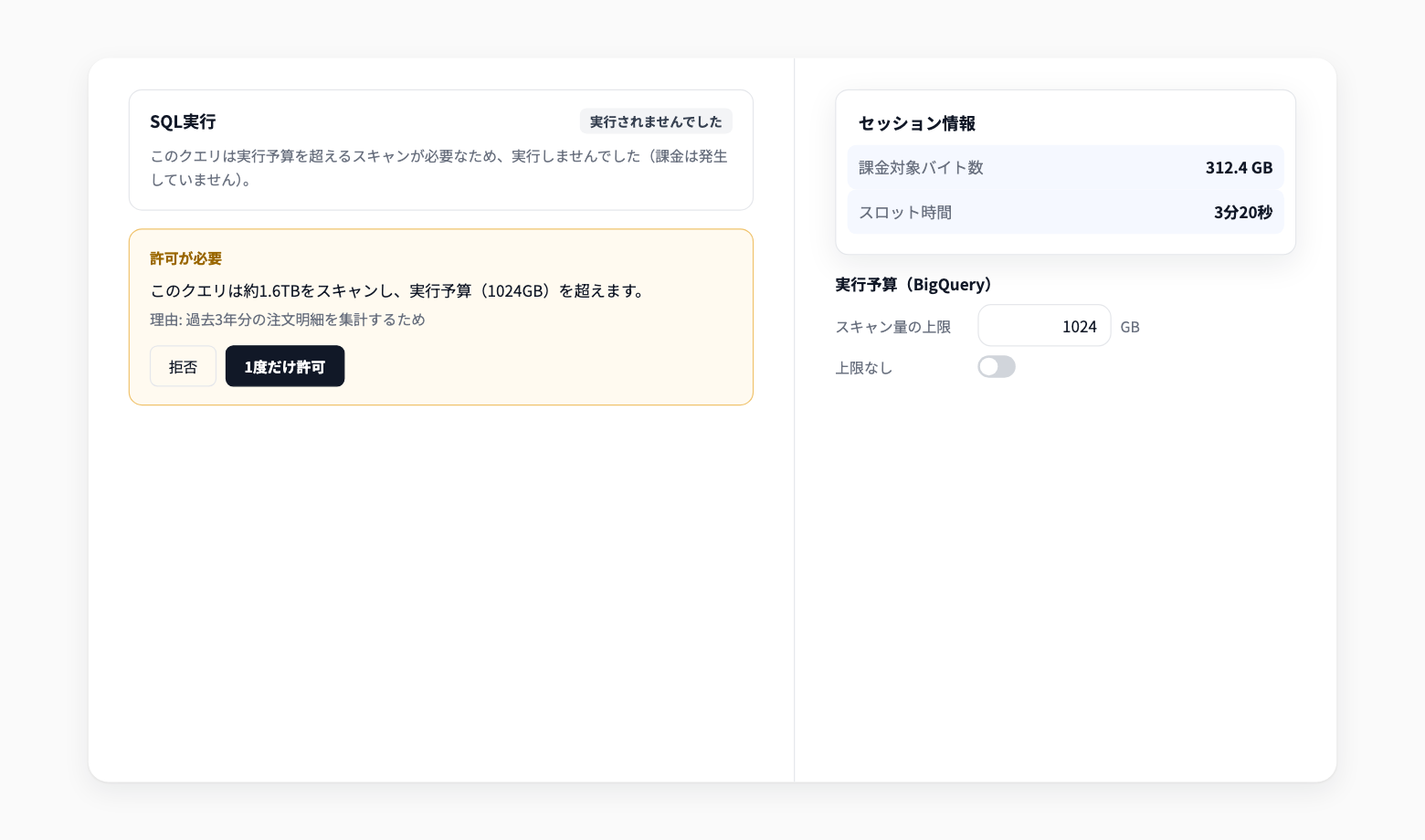
Codatum Agent now applies an execution budget—a scan size limit you set—to the BigQuery SQL it runs. You can also see the bytes billed and slot time for BigQuery queries run in a session.
The execution budget is set per user and per workspace. If left empty, a budget of 1024 GB is used.
Key features
Stops before billing: A query that needs more scan than your budget is not run and is shown as Not executed. Nothing is billed
Approve and re-run: Codatum Agent either narrows the query or explains why it needs to re-run it and asks for approval. Once approved, the limit is raised only as far as the scan size shown
Applies to report exploration too: The same budget applies to queries run through Explorer, not just SQL
Query cost at a glance: Session info in the chat screen shows the total Bytes billed and Slot time for BigQuery queries
Example use cases
Let Codatum Agent work with large tables without worrying about unexpected scan volume
Check Session info at the end of an investigation to see how many BigQuery resources the analysis used
Agree on a budget across your team and estimate the query cost of using Codatum Agent
Related documentation
Availability
Change the budget under Execution budget (BigQuery) in Settings in the chat input. You can set any value of 0.1 GB or more in 0.1 GB steps, or turn on No limit.
The scan size limit and the bytes billed / slot time display apply to BigQuery only. For other data sources, Codatum Agent explains its reason and asks before running a query it expects to scan a large amount of data. In Allow all approval mode, an over-budget query is re-run with a raised limit without asking.