

Choose How Codatum Agent Asks for Approval with Approval Modes
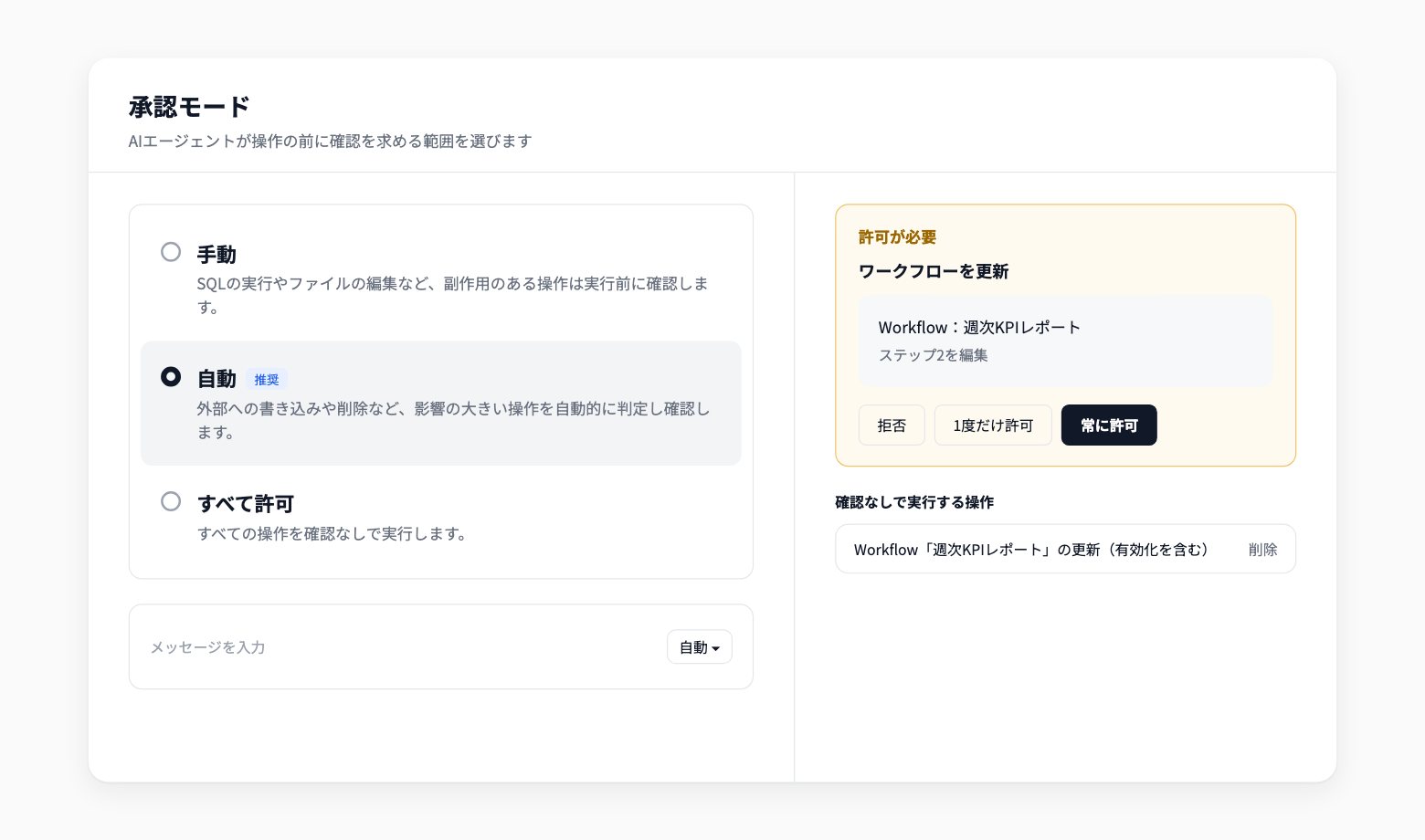
You can now choose how often Codatum Agent asks for your confirmation before acting, using approval modes. Approval modes replace the previous Ask and Agent modes.
Select an approval mode from the bottom left of the chat input. The default is Auto, and existing users also start in Auto.
Key features
Three approval modes: Manual asks before side effects, such as running SQL or editing files. Auto asks only before high-impact actions, such as external writes or deletes. Allow all runs every operation without asking
Decide on the approval card: When an operation needs confirmation, choose Deny, Allow once, or Always allow on the approval card
Manage operations allowed without asking: Operations you mark Always allow run without asking in any mode from then on. Review and delete them under Allowed without asking in Settings in the chat input
Switch mid-conversation: A new mode applies from the next operation, even while a request is running
Example use cases
Work in Auto day to day, confirming only important actions such as writes to external services
Switch to Manual when working with a new data source or an important notebook, and review each step
Mark operations you use repeatedly as Always allow to skip routine confirmations
Related documentation
Availability
The approval mode and the list of operations allowed without asking are saved per user and per workspace. The mode you select also carries over to new conversations in that workspace. Which tools Codatum Agent can use is determined by permissions and AI profile settings, not by the approval mode.
Routine runs approve every operation automatically; the approval mode and the allowed list do not apply to them.