

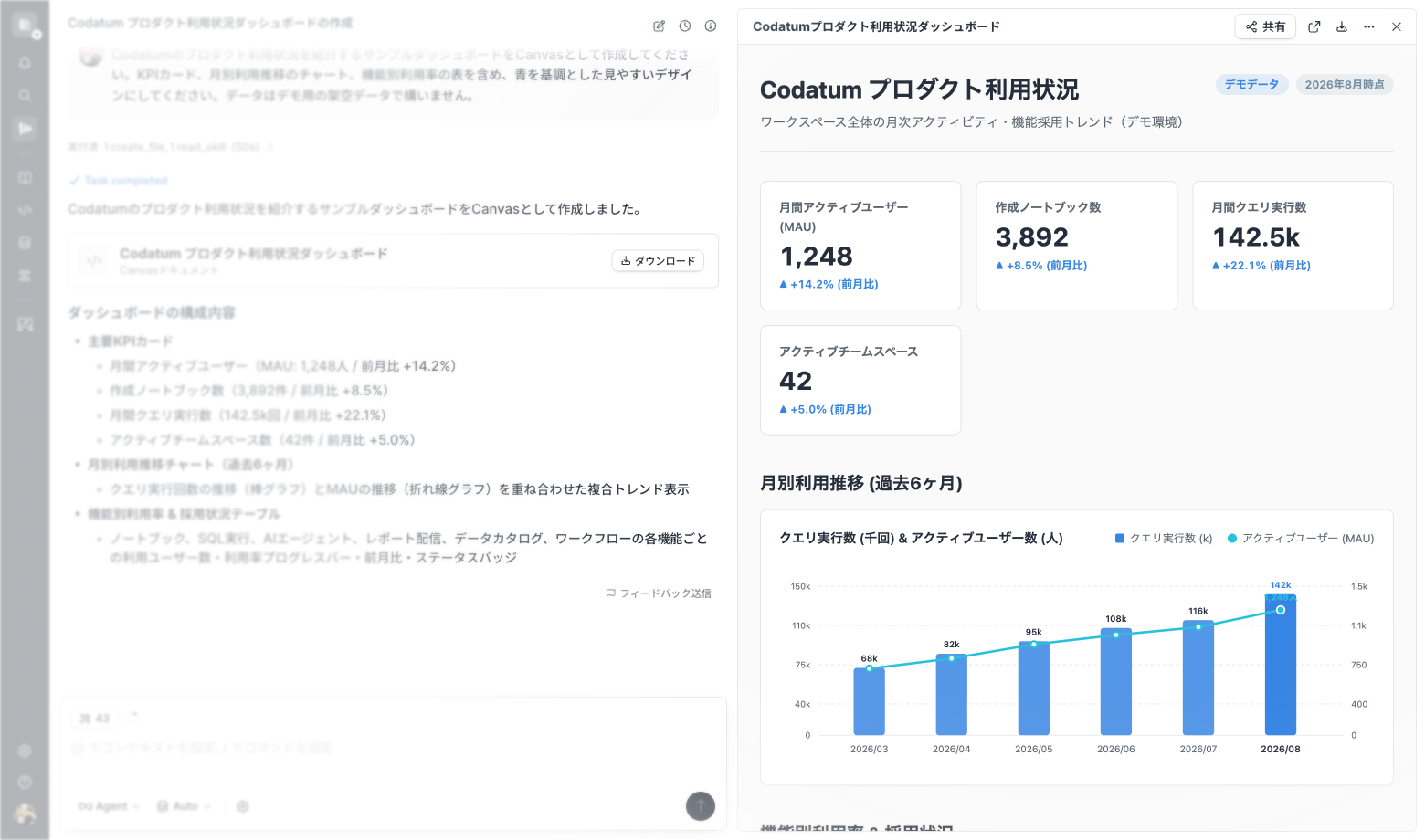
Canvas is now available in Codatum Agent
Codatum Agent can now turn analysis results and visualizations into an HTML-based Canvas.
Each Canvas has its own URL and remains available after the agent session ends, making it easy to review and share the result.
Key features
Generate a Canvas containing analysis results, tables, and charts.
Switch between preview and HTML code, and download the Canvas as an HTML file.
Review previous versions from the Canvas preview.
Share a dedicated URL with users, groups, workspace members, or anyone with the link when workspace policy allows it.
Pin the version shown to viewers so later edits do not change the shared result.
Example use cases
Combine KPIs, tables, and charts into a single report.
Share a comparison report with selected users or groups.
Download an analysis result for archival or offline use.
Related documentation
Availability
Canvas is available in workspaces where Codatum Agent is enabled. Availability may depend on your contract.
Canvas owners can review previous versions, manage sharing, and select the version shown to viewers. A Canvas is stored as self-contained static HTML, must be 2 MiB or less, and can't contain scripts, embedded pages, forms, or external resource references.