

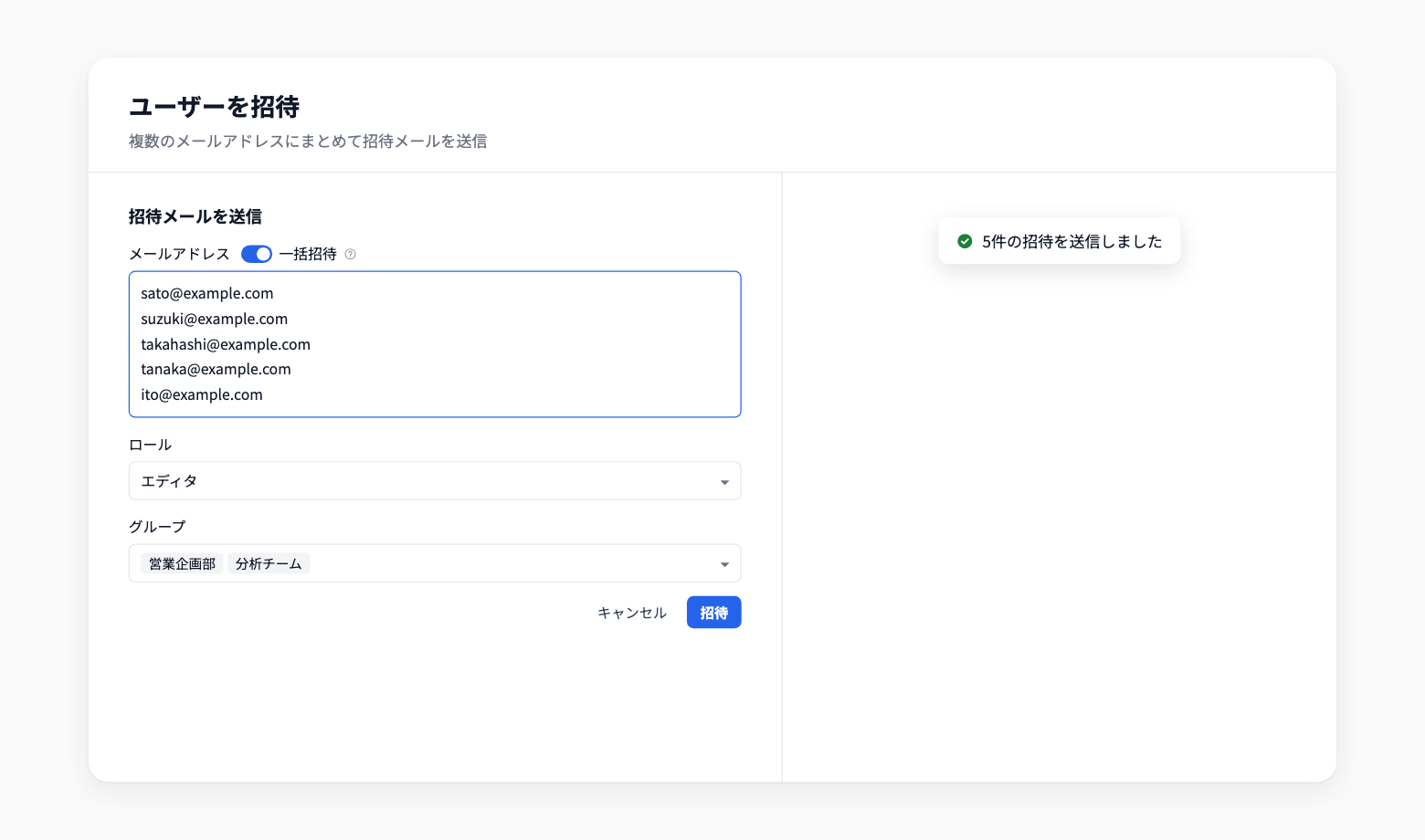
Invite Multiple Members to a Workspace at Once
You can now send workspace invitations to multiple email addresses at once. When a team or department starts using Codatum, you no longer have to invite people one by one.
Open Invite users under Users in workspace settings, and turn on Bulk invite in Send invitation email.
Key features
One address per line: Enter one email address per line, up to 20 at a time. Paste a column copied from a spreadsheet as is. Duplicate addresses are merged (comma-separated lists are not supported)
Set the role and groups once: The role and groups you choose apply to every address you enter
Format checks before sending: If any address is invalid, it is shown before anything is sent
Resume after an error: If an error occurs partway through, sent addresses are removed from the input and only unsent addresses remain, so you can send them again once you have checked the cause
Example use cases
When rolling out Codatum to a new department, paste a list of email addresses and invite everyone with the same role and groups
Invite the members of an analytics team as editors and add them to the team's group in one step
Related documentation
Availability
Only workspace owners can send invitation emails. Invitees review the invitation on the workspace selection screen and join from there. Invitations expire seven days after they are created.
You cannot invite email addresses that already belong to the workspace or that already have a pending invitation. The number of people you can invite follows the member limit of your plan.