

Assign AI Profiles to the Right Members and Groups
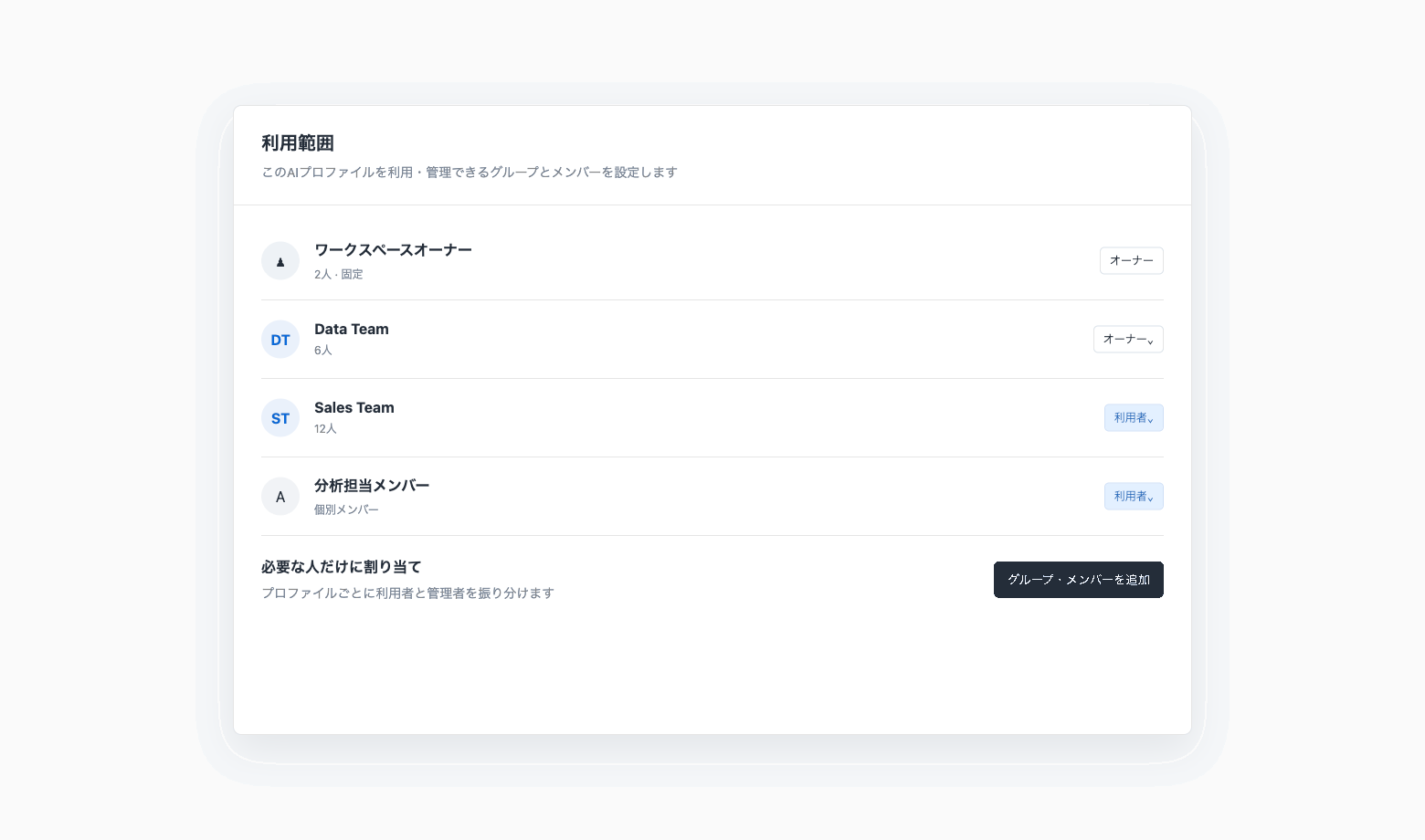
AI Profiles can now be assigned only to the members and groups who need them.
Route purpose-built model, fixed-context, and tool-permission settings to the appropriate teams.
Key features
Assign the right users: Add individual members or groups to each AI Profile
Separate Owners and Users: Distinguish people who manage the profile from those who use it in chat. Workspace owners are always included as Owners of every AI Profile
Distribute profiles by purpose: Maintain common profiles alongside department-specific profiles
Preserve existing permissions: Assignment does not grant additional notebook or connection access
Example use cases
Assign a sales profile only to the sales team
Set the data team as Owners and analysts as Users
Operate separate company-wide and department-specific AI Profiles
Related documentation
Availability
Codatum AI must be enabled in the workspace. Custom AI Profiles and groups might be unavailable depending on your contract.
Users who cannot access a notebook or folder configured as fixed context cannot use that profile.