

Agent Usage page added
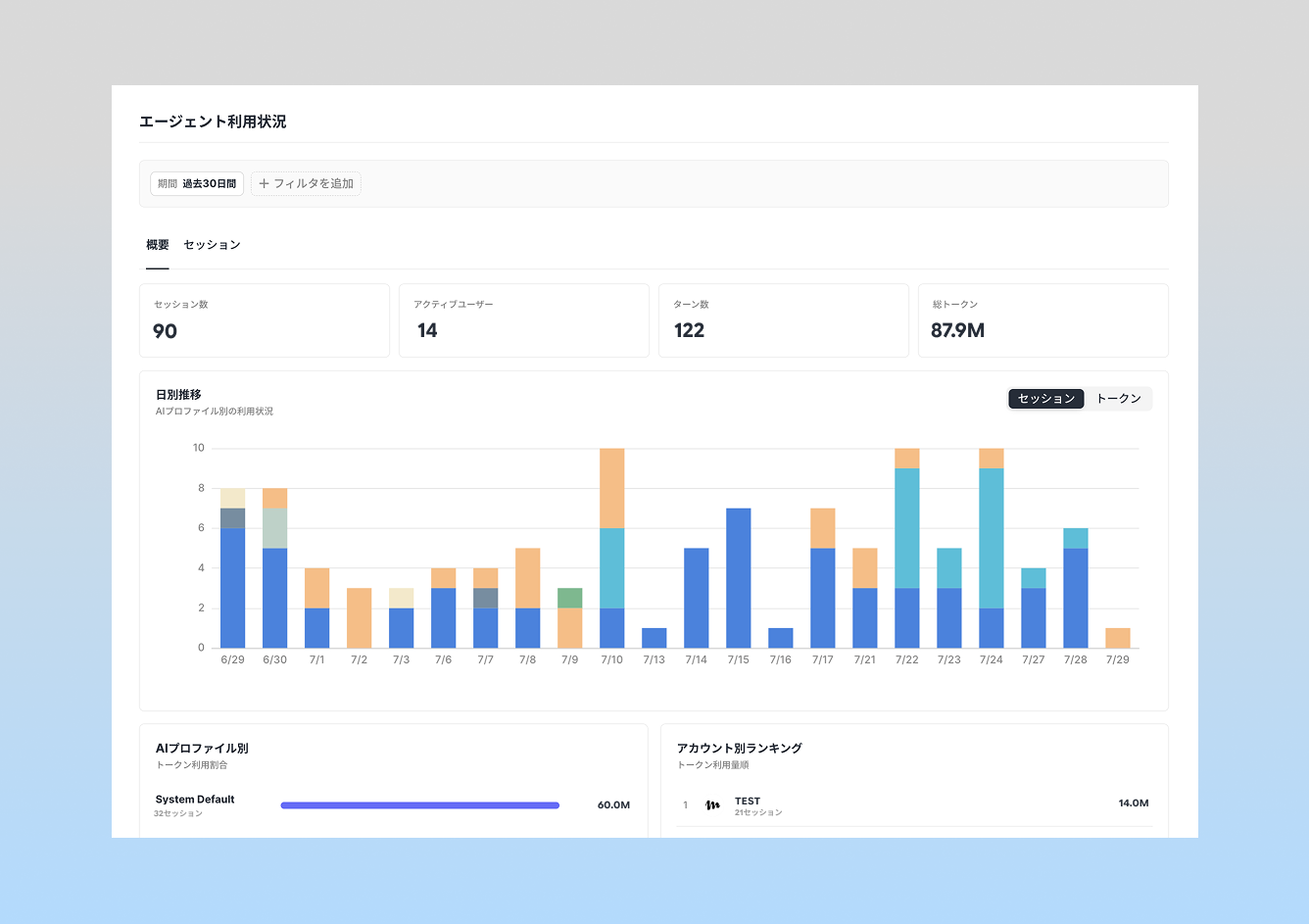
An "Agent Usage" page has been added to workspace settings. Users with Owner permissions can check AI agent usage across the workspace.
You can view summaries of session count, active users, turn count, and total tokens, along with trends over time and breakdowns by AI profile and by member. You can also filter by member, report, AI profile, source, and status.
In addition, enabling "Save conversation message content to logs" for a given AI profile lets you view the message content and tool call details for each turn in sessions using that profile.
※ This setting is off by default, and message content is not shown unless it's enabled.
Use cases
Since this makes it possible to visualize how AI agents are being used across the workspace, it can help with understanding usage patterns, catching unexpected cost increases early, and reviewing session content as needed for troubleshooting or governance purposes.
※ Specifications are subject to change without notice.
We hope this helps with understanding your team's AI usage! If you have any feedback or requests about this feature, we'd love to hear from you.