

Codatum Agent Now Supports Searching, Creating, and Editing Saved Queries
Codatum Agent now supports searching, referencing, creating, and editing saved queries.
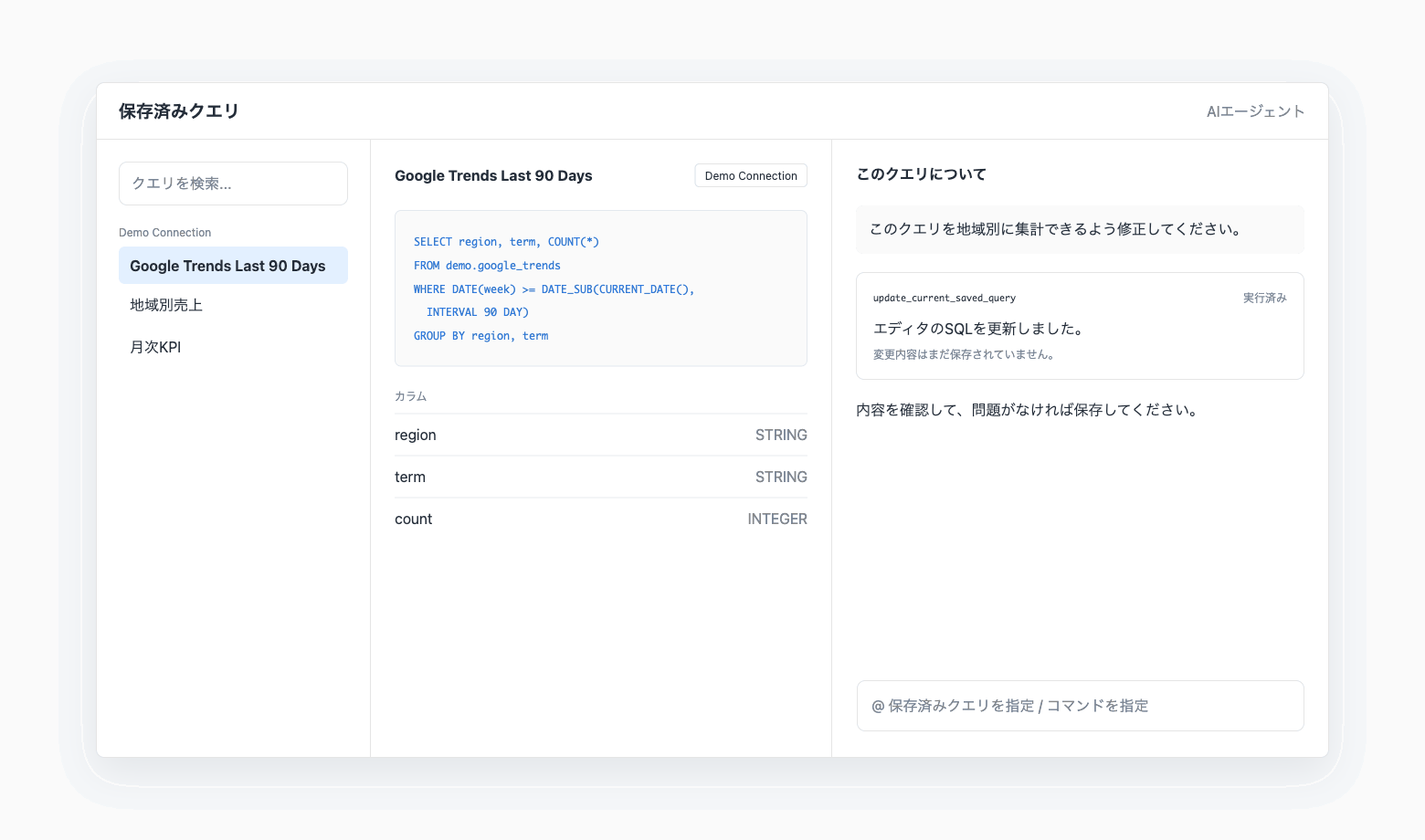
You can find an existing saved query and inspect its SQL and columns, or save SQL created during an analysis as a new query. On a saved query detail page, Codatum Agent automatically recognizes the query currently displayed, so you do not need to explain its SQL and connection each time.
Key features
Search saved queries: Codatum Agent can find saved queries related to a name or analysis request and use them in its work.
Reference SQL and column information: Codatum Agent can retrieve a saved query’s SQL, connection, description, columns, and related metadata for explanations and further analysis.
Create saved queries: SQL created or validated by Codatum Agent can be saved as a new query with a name, description, and destination.
Edit existing saved queries: With the required permissions, Codatum Agent can directly update a saved query that isn't currently open. On the detail page, Codatum Agent updates only the SQL in the editor. Review and save the change yourself.
Use the current query as page context: When Codatum Agent is opened from a saved query detail page, it can respond using the current SQL, connection, and columns.
Reference a saved query with @: You can explicitly select a saved query from the Codatum Agent input field when you want it included as context.
Example use cases
Find the saved query used for monthly sales and explain how it calculates the result.
Update the SQL in the current query to aggregate results by region, review the change, and save it.
Save SQL created during an analysis with a description and column information.
Validate existing SQL and update the query after reviewing the result.
Related documentation
Codatum Agent, Saved queries, and Connection permissions.
Availability
Viewing and searching saved queries requires read access to the associated connection. Creating or updating a saved query requires permission to run SQL on the target connection. Codatum Agent does not perform edit operations on read-only pages.
Review the SQL and execution results proposed by Codatum Agent before creating or updating a saved query. Any SQL execution or validation is also limited by the user’s connection permissions and the selected AI Profile’s tool permissions.
After a saved query is saved, its associated connection cannot be changed.